> For the complete documentation index, see [llms.txt](https://docs.raybot.app/start/llms.txt). Markdown versions of documentation pages are available by appending `.md` to page URLs; this page is available as [Markdown](https://docs.raybot.app/start/web-app/web/signals/accumulation.md).
# Accumulation
### 🧲 Accumulation
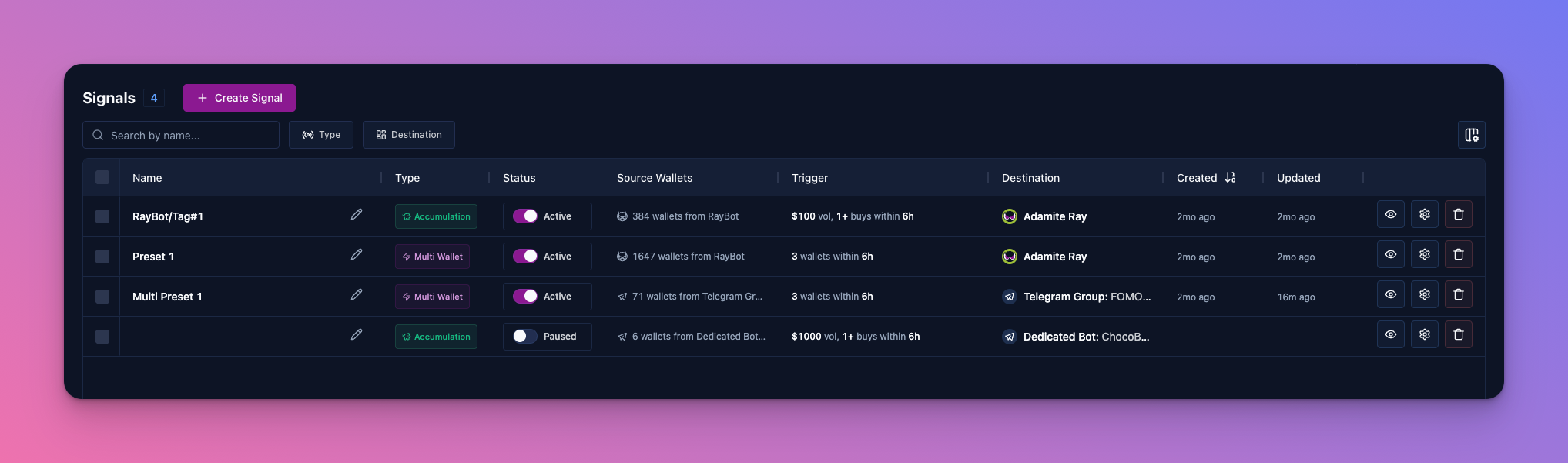
The **Accumulation** subsection inside Signals displays all your accumulation presets and lets you manage them directly from the web interface — no need to open the bot.
💡 Preset settings are identical to those available in Telegram. For a detailed description of each parameter, see the [**🧲 Accumulation**](https://docs.raybot.app/start/interface-and-buttons-in-telegram/accumulation) section.
***
#### **📋 Preset Table**
The main page shows a list of all created presets with the following columns:
* **Name** — preset name.
* **Type** — signal type: Accumulation or Multi Wallet.
* **Status** — whether the preset is active or disabled.
* **Source Wallets** — the wallets being monitored and their source.
* **Trigger** — the signal condition: minimum volume in USD, number of buys, and time window.
* **Destination** — where notifications are sent (bot, group, or Discord).
* **Created / Updated** — the date the preset was created and last modified.
***
#### **⚙️ Managing a Preset**
Each preset has three action buttons:
* ✏️ — rename the preset.
* 👁️ — Signal History
* ⚙️ — open preset settings (same parameters as in Telegram).
* 🗑️ — delete the preset.
***
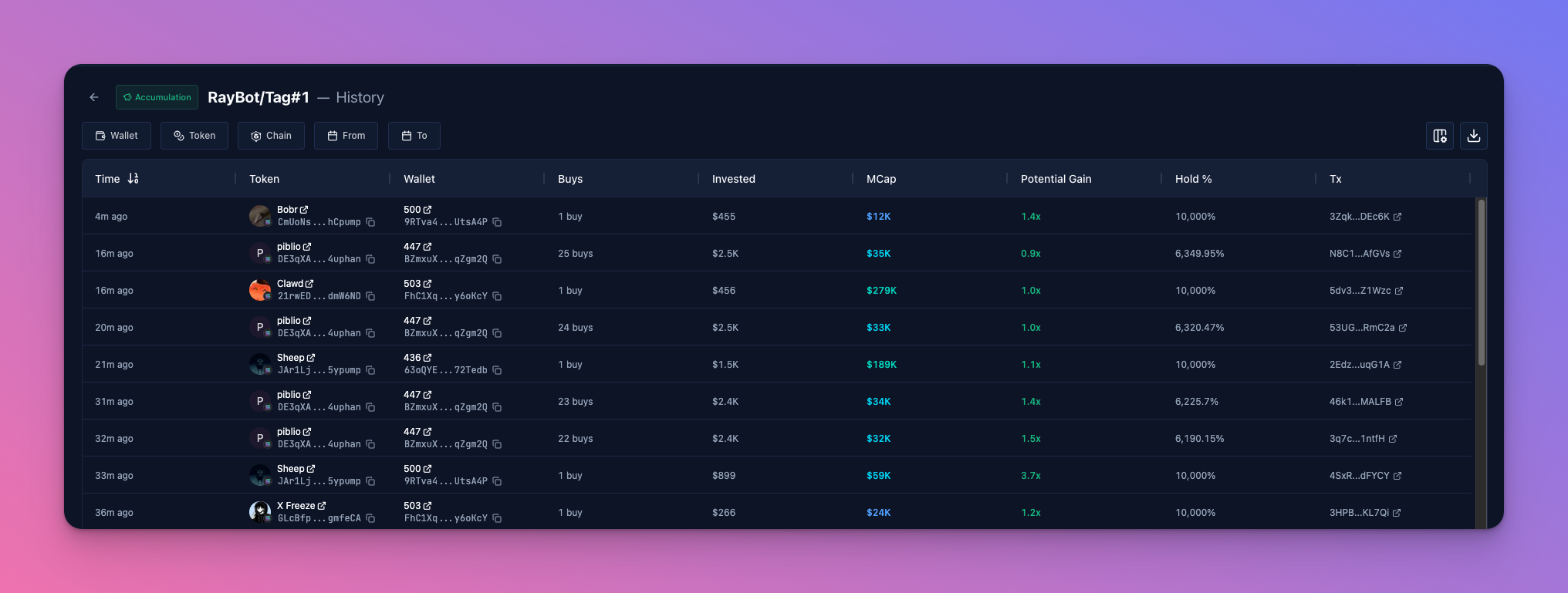
#### 👁️ Signal History
In the web interface you can view the full history for each preset — which tokens matched the accumulation conditions, when it happened, which wallets were involved, how much was invested, the MCap at entry, potential gain, and the percentage of the position still being held.
The history can be filtered by wallet, token, network, and time range.
***
#### **➕ Creating a New Preset**
Click the **+ Create Preset** button — a three-step form will open.
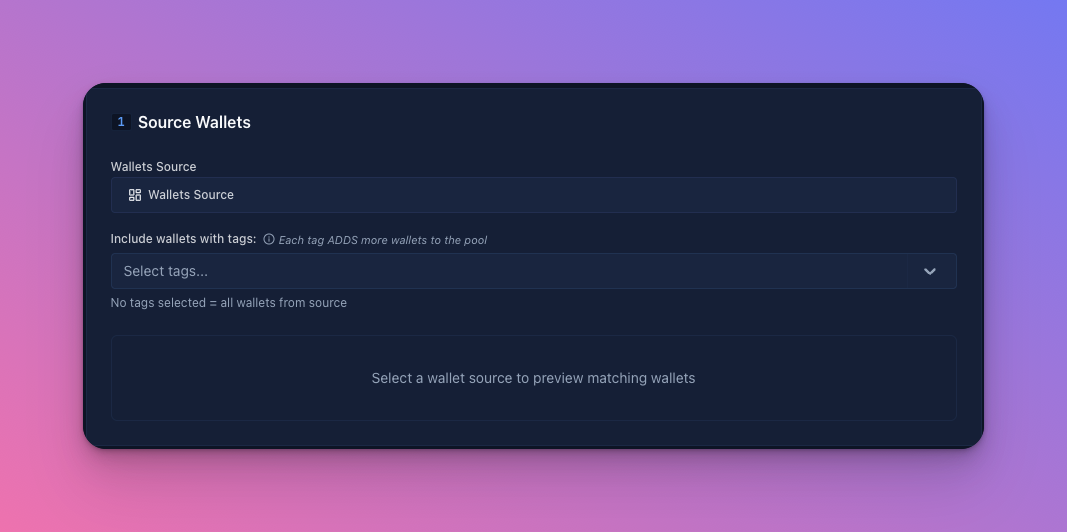
**1️⃣ Source Wallets**
* **Preset Name** — enter a name for your preset.
* **Wallets Source** — select the wallet source.
* **Include wallets with tags** — filter by tags. Each added tag expands the wallet pool. If no tags are selected, all wallets from the source are included.
Once a source is selected, a preview of matching wallets will appear.
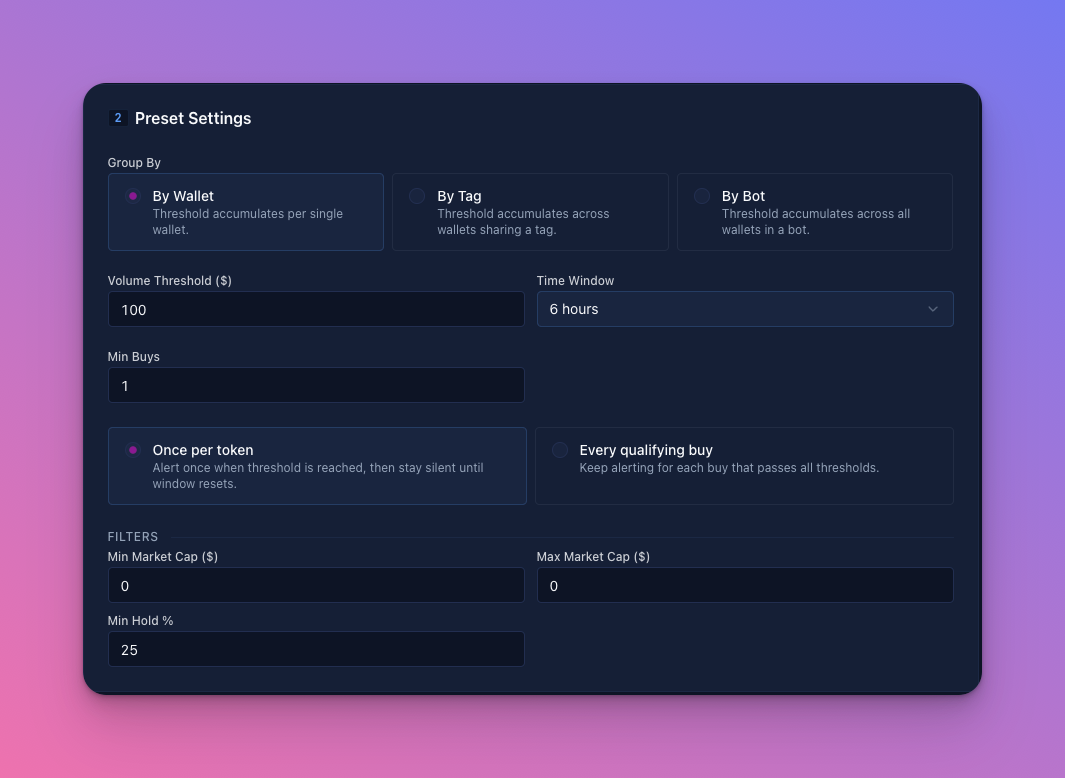
#### **2️⃣ Preset Settings**
* **Group By** — how wallets are grouped when calculating accumulation:
* **By Wallet** — accumulation is tracked separately for each wallet.
* **By Tag** — accumulation is summed across all wallets sharing the same tag.
* **By Bot** — accumulation is summed across all wallets within a bot.
* **Volume Threshold ($)** — the minimum total buy volume for a token in USD required to trigger a signal.
* **Time Window** — the time frame within which buys are counted.
* **Min Buys** — the minimum number of buy transactions required to trigger a signal.
* **Alert mode:**
* **Once per token** — alert fires once when the threshold is reached, then stays silent until the window resets.
* **Every qualifying buy** — alert fires for every buy that passes all thresholds.
* **Filters:** Min/Max Market Cap, Min Hold %.
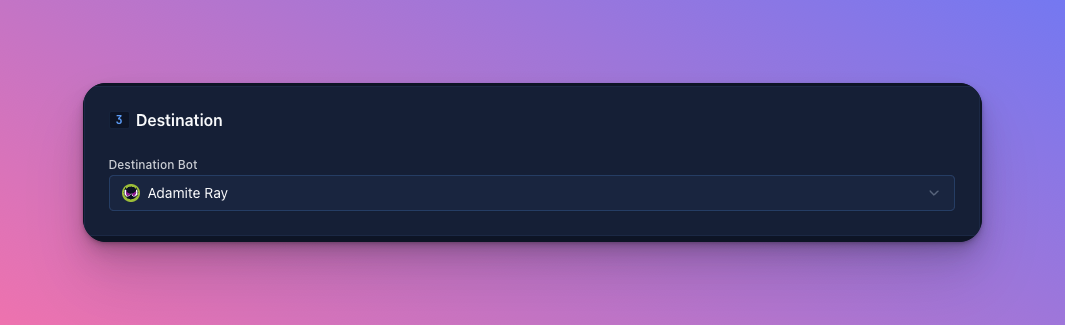
**3️⃣ Destination**
Select where notifications will be sent. This section becomes available only after selecting a wallet source in step 1.
🧠 How Destination Works Depending on the Source
Multi Wallet behavior changes based on which source is selected in **Source Wallets**.
**RayBots (direct chat)**
When the source is RayBots, Multi Wallet operates at the account level:
* Signals are generated from wallets across all selected bots.
* You can select one or multiple bots — their wallets are merged into a single pool.
* There is no need to add wallets manually.
If you want to separate signals by strategy or network — create multiple presets with different sources and conditions, and route each one to a separate bot.
**Group or Dedicated Bot**
When the source is a group or dedicated bot, Multi Wallet operates locally:
* Only wallets added to that specific group or bot are analyzed.
* Wallets from direct chats or other bots are not included.
This is ideal for team-based strategies, isolated setups, and separate trading groups — without affecting your global direct configuration.
---
# Agent Instructions
This documentation is published with GitBook. GitBook is the documentation platform designed so that both humans and AI agents can read, navigate, and reason over technical content effectively. Learn more at gitbook.com.
## Querying This Documentation
If you need additional information that is not directly available in this page, you can query the documentation by asking a question.
Perform an HTTP GET request on the following URL with the `ask` and `goal` query parameters:
```
GET https://docs.raybot.app/start/web-app/web/signals/accumulation.md?ask=&goal=
```
`ask` is the immediate question: it should be specific, self-contained, and written in natural language.
`goal` is what the user is ultimately trying to achieve, the reason they need the answer. Sharing it helps GitBook give you a better, more relevant answer. A goal is most helpful when it describes the outcome the user wants rather than restating the question. For example, with `ask=how do I create an API token`, a goal like `automate deployments from our CI pipeline` lets GitBook tailor the answer to that use case.
The response will contain a direct answer to the question and relevant excerpts and sources from the documentation.
Use this mechanism when the answer is not explicitly present in the current page, you need clarification or additional context, or you want to retrieve related documentation sections.